
 Hazmob FPS: Online Shooter
 Plants vs Zombies Fusion Mode
 Obby Parkour: Tower of Hell
 Hidden Objects: Island Secrets
 Deadly Descent
 Mahjong Classic
 Hidden Object: My Hotel
 Piece of Cake: Merge & Bake
 Robby: The Speed Maze

 Nuts Puzzle: Sort By Color
 Kick a Lucky Block: Tsunami Waves
 Playground Man Mod! Web of Destruction!
 Obby but You're on a Bike
 Robby: The Speed Maze
 Barry Prison: Parkour Escape!
 Sprunki World Online RP - Play with Friends!
Brainrot's Falling Bridge: Online
Brainrot's Falling Bridge: Online - Play Online
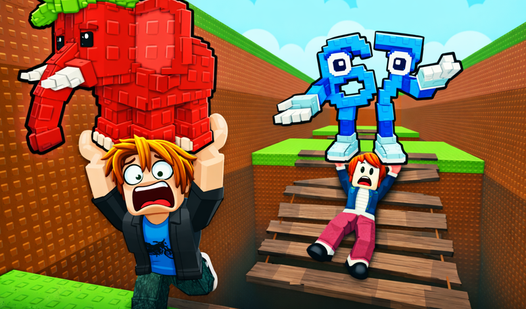
Falling bridges. Chasing wave. Zero mercy. Brainrot's Falling Bridge: Online is reaction-arcade chaos. Run or drown. Speed matters. Your reflexes? About to get tested.
How to Play Brainrot's Falling Bridge: Online
The goal is brutal simple: outrun the wave. Bridges collapse under your feet. Fall once? Wave eats you. Collect Brainrots. Grab coins. Stay ahead. That's the mission.
Sprint Across Collapsing Platforms
Move with WASD. Camera? Mouse. Jump using Space. Every second matters. Bridges crumble fast. No time to think. Just react. Run forward. Dodge gaps. The wave never stops chasing.
Level Up Speed & Jump
Earn coins from each run. Spend them smart. Upgrade Speed to outpace the wave. Boost Jump to clear collapsing sections. Higher levels unlock better survival odds. Max stats? You become untouchable. Farm coins. Build power. Repeat the grind.
Hunt Rare Brainrots
Collect Brainrots scattered across maps. Rare ones? High risk zones. Go deep. Push your limits. Each Brainrot adds to your collection. Complete the set. Pro tip: Upgrade jump first. Lets you reach distant spawn points before bridges collapse.
Key Features
- Collapsing Bridge Mechanics: Platforms fall in real-time. Pure adrenaline rush.
- Endless Wave Chase: Massive wave trails you. Stop moving? Game over.
- Upgrade System: Boost speed and jump height. Progression feels crisp.
- Rare Collectibles: Hunt Brainrots. Build your collection. Show off online.
- Online Leaderboards: Compete globally. Fastest runners take top spots.
- Clean Visuals: Smooth browser performance. Runs lag-free on desktop.
Who is Brainrot's Falling Bridge: Online for?
Perfect for arcade fans. Endless-game addicts. Roblox players wanting quick thrills. Great for teens. Works as a 5-minute adrenaline hit or hour-long grind session.
Release Date & Developer
Brainrot's Falling Bridge: Online was developed by Arbas. Released April 20, 2026.
Controls
- WASD: Movement
- Mouse: Camera control
- Space: Jump
- Mouse Wheel: Zoom
- Mobile Left Joystick: Movement
- Mobile Right Screen: Camera
- Mobile Jump Button: Jump action
FAQ
Where can I play Brainrot's Falling Bridge: Online online?
What happens if I fall off the bridge?
How do I collect all the Brainrots?
Can I compete with other players?
What should I upgrade first in Brainrot's Falling Bridge: Online?
Video