





















Coloring in the World of Monster Trucks
Coloring in the World of Monster Trucks - Play Online
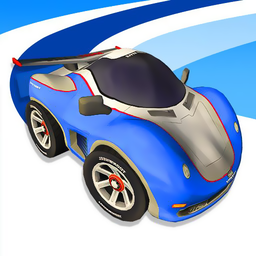
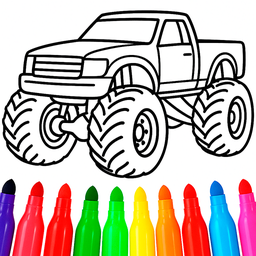
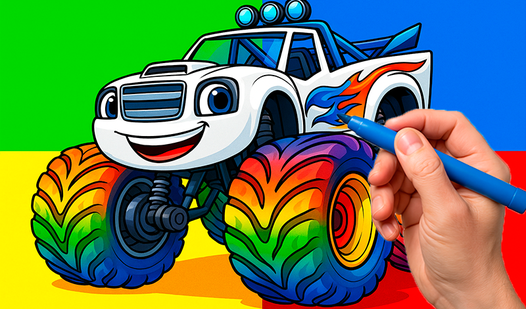
Grab your digital paint bucket. Massive tires and roaring grilles wait for your color choices. Flat line-art templates turn into your personal truck designs with bucket fills and a rainbow palette. No pencil sharpening. Just click and splash. Perfect for tiny hands on tablets or anyone chasing zen vibes through creative loops.
How to Play Coloring in the World of Monster Trucks
Pick a template from the grid. Tap a color on the right panel. Click inside any outlined zone. Watch it flood with your chosen hue. Save your masterpiece with the camera button or jump to the next template using left/right arrows. The paint-can button reveals random surprise shades when you need something wild.
Core Action: Bucket-Fill Mechanic
Select a monster truck template from the gallery. Each design features bold outlines: wheels, chassis, flame decals, animal emblems. Tap your color once, then tap any white zone. The fill spreads instantly, respecting line boundaries. Undo mistakes with the blue arrow. Reset everything with the circular arrow. The palette offers red, yellow, green, blue, purple, black—plus mystery colors from the can. Experiment with contrasting combos: neon green body with purple flames, black wheels with red hubs. Every zone accepts any color, so symmetry or chaos both work. If you're hunting for variety beyond trucks, Kids Color Book 2 expands into animals and nature scenes using the same tap-to-fill flow.
Progression: Template Gallery
Start with basic trucks sporting simple shapes. Later templates add detail: shark teeth grilles, lion crests, multi-layered spoilers. The gallery shows thumbnails—grayscale for untouched, full color for completed. No locks or timers block access; scroll through all designs from session one. Completed works stay saved in the gallery, building your portfolio. The green arrow returns you to this hub anytime. If you crave more vehicle action after coloring, Monster Truck Driving puts similar oversized trucks on obstacle courses with jumps and physics challenges. For players who enjoy kids games that balance creativity with motor-skill practice, Coloring in the World of Monster Trucks delivers instant satisfaction without downloads.
Strategy: Color Harmony and Speed Runs
Young artists benefit from high-contrast pairings: yellow body with black outlines pops on screen. Monochrome schemes—all blues or all reds with tonal variation—teach shading concepts. Use the mystery paint-can for accent zones like headlights or logos when you need a spark. Speed runners tap rapidly through templates, filling one color across multiple trucks before switching hues to minimize palette clicks. The undo button rescues stray taps without resetting entire sections. Preschoolers improve fine-motor precision by aiming for small zones like bolts and vents. Older kids challenge themselves to match real monster-truck liveries or invent candy-colored fantasy rigs. Coloring in the World of Monster Trucks also connects thematically to developer Universe 25's portfolio of accessible creativity tools, offering browser-based play with no install friction.
Key Features
- Bucket-Fill Simplicity: Tap a color, tap a zone, watch it flood. Undo and reset buttons catch mistakes instantly.
- High-Contrast Vector Art: Bold outlines and flat fills deliver clear boundaries for smooth coloring, optimized for touchscreens and mice alike.
- Mystery Paint Can: Press the can icon to unlock random surprise colors beyond the standard six-hue palette.
- Unlimited Template Access: Gallery holds multiple monster truck designs—no progression gates or energy systems blocking your next coloring session.
Who is Coloring in the World of Monster Trucks for?
Preschoolers age three to six building hand-eye coordination. Parents seeking screen-time activities that blend creativity with minimal frustration. Casual players who love meditative loops—choose, fill, admire, repeat. Monster-truck fans who want to design custom paint jobs before (or instead of) racing. Anyone craving quick creative bursts on any device, from tablet to desktop, with zero install barriers. If you want similar relaxation with different subjects, Kids Zoo Farm swaps trucks for animals while keeping the same intuitive tap-to-color interface. Players exploring car games or monster truck games on Playgama will find Coloring in the World of Monster Trucks a calming counterpoint to high-speed driving challenges.
Developer
Coloring in the World of Monster Trucks was developed by Universe 25. The game runs directly in your browser via Unity, delivering instant access to bucket-fill coloring mechanics, a vibrant palette, and a gallery of oversized truck templates without any downloads or plugins.
Controls
- Mouse Click / Tap: Select color from palette, then click any outlined zone to fill it.
- Green Arrow (⬅️): Return to the main template gallery.
- Camera (📷): Save your current drawing.
- Left/Right Arrows (⏪⏩): Navigate to previous or next template.
- Blue Arrow (↩️): Undo your last fill action.
- Circular Arrow (🔄): Reset the template to blank line art.
- Paint Can: Reveal a random mystery color for special accents.
FAQ
Can I save my finished monster truck coloring pages?
Yes. Press the camera icon to save your current design. The game stores completed templates in the gallery so you can revisit or continue coloring later.
How many colors are available in Coloring in the World of Monster Trucks?
The standard palette offers six colors: red, yellow, green, blue, purple, and black. Tap the paint-can button to reveal random bonus hues for extra variety.
Is Coloring in the World of Monster Trucks free to play?
Yes. Play directly on Playgama with no downloads or payments required. All templates unlock from the start with no progression gates.
What age group is Coloring in the World of Monster Trucks designed for?
Preschoolers ages three to six benefit most from the simple bucket-fill controls and bold line art. Older kids and adults also enjoy the meditative coloring loop and creative freedom. If you want more subject variety, Kid Color Books organizes templates by theme—dinosaurs, space, princesses—with the same easy interface.
How do I undo a mistake while coloring a truck?
Tap the blue arrow (↩️) to reverse your last fill. For a complete reset, press the circular arrow (🔄) to return the template to blank line art.
Video