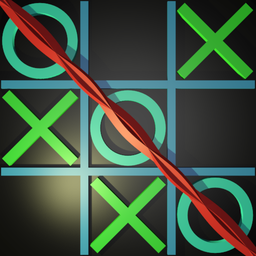



























Tic Tac Toe Shining
Tic Tac Toe Shining - Play Online
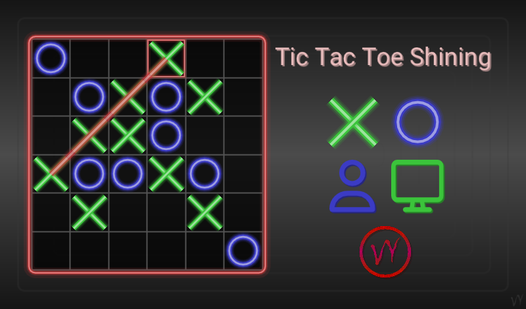
Brain-training puzzle with AI? Done. Classic noughts and crosses with customizable boards up to 24x24? Tic Tac Toe Shining takes the simple game and adds layers. Fast. Colorful. Sharp AI opponents across 4 difficulty levels.
How to Play Tic Tac Toe Shining
The mission: collect the required number of noughts or crosses in a line. Horizontal, vertical, diagonal—doesn't matter. Fill the board without completing a line? Draw. Complete your line first? Victory.
Core Mechanics
Click empty cells. Or drag the shining nought/cross onto empty spaces. Your choice. Board fills up fast on smaller grids. On 24x24? Strategy matters. Plan ahead. Block opponents. Chain your moves.
Game Modes & Customization
Two modes available. Player-AI: face off against artificial intelligence. Player-Player: local two-player battles. Select board size—from classic 3x3 to massive 24x24. Choose full line length. Pick difficulty level (4 total). Each setting changes the game completely.
Strategy Tips
Made a mistake? Cancel moves. Built into the game. Use it. On larger boards, control the center. Force your opponent into defense mode. On higher difficulty, AI blocks aggressively. Set traps with double-threat positions. Watch for diagonal opportunities—easy to miss on big boards.
Key Features
- Scalable Board Sizes: 3x3 to 24x24. Choose your battlefield.
- 4 Difficulty Levels: From casual warmup to brain-melting challenge.
- Move Cancellation: Undo mistakes. Rethink your strategy.
- Multiple UI Color Styles: Customize the look. Clean interface adapts.
- Lightning Fast: Small application. Zero lag. Instant response.
- Dual Game Modes: Solo AI training or local multiplayer.
Who is Tic Tac Toe Shining for?
Perfect for brain-training enthusiasts. Great for casual 5-minute sessions or extended strategy battles. Ideal for players who want classic gameplay with depth. Desktop-focused attention game.
Release Date & Developer
Tic Tac Toe Shining was developed by VY Studio. Released in April 2026.
Controls
- Mouse Click: Place nought or cross on empty cell
- Mouse Drag: Move shining piece to empty cell
FAQ
Where can I play Tic Tac Toe Shining online?
What's the biggest board size in Tic Tac Toe Shining?
Can I undo moves in Tic Tac Toe Shining?
How many difficulty levels does the AI have?
Is there multiplayer in Tic Tac Toe Shining?
Video